
Eltryx
An AI operating system for freelancers.
I designed and built Eltryx, a Mac app that helps freelancers find work, win it and get paid. It started as a tool for my own studio and is now a free private beta.
At a glance
- Problem
- Running a one-person studio meant finding work, pitching, tracking leads and getting paid across separate tools.
- What I did
- Designed and built a Mac app around the next step: a Command view, AI that shows its sources, and nothing sent without you.
- Result
- Shipped in six weeks as an Apple-notarized Mac app, now used by 18 beta testers.
01 / The problem
Built for one freelancer first.
I run a one-person Webflow studio. Finding work, pitching it, tracking leads and getting paid each happened in a different place: job boards, Contra, email and my own notes. None of them knew about the others, so none of them could tell me what needed my attention today.
So I built small tools for myself, one need at a time: a pipeline for leads, a resume tailored to a posting, a view of what Contra had paid me. They grew into a single app, first called Studio OS, that kept my whole freelance business organized.
Over time I realized it could help other freelancers in the same spot. But every freelancer works a little differently, so the app had to fit their business, not just mine. I turned it from a local Electron app I ran from my own code into an Apple-notarized Mac app that anyone can download and tailor to the way they work.
02 / Approach
One place, organized around the next step.
- 01
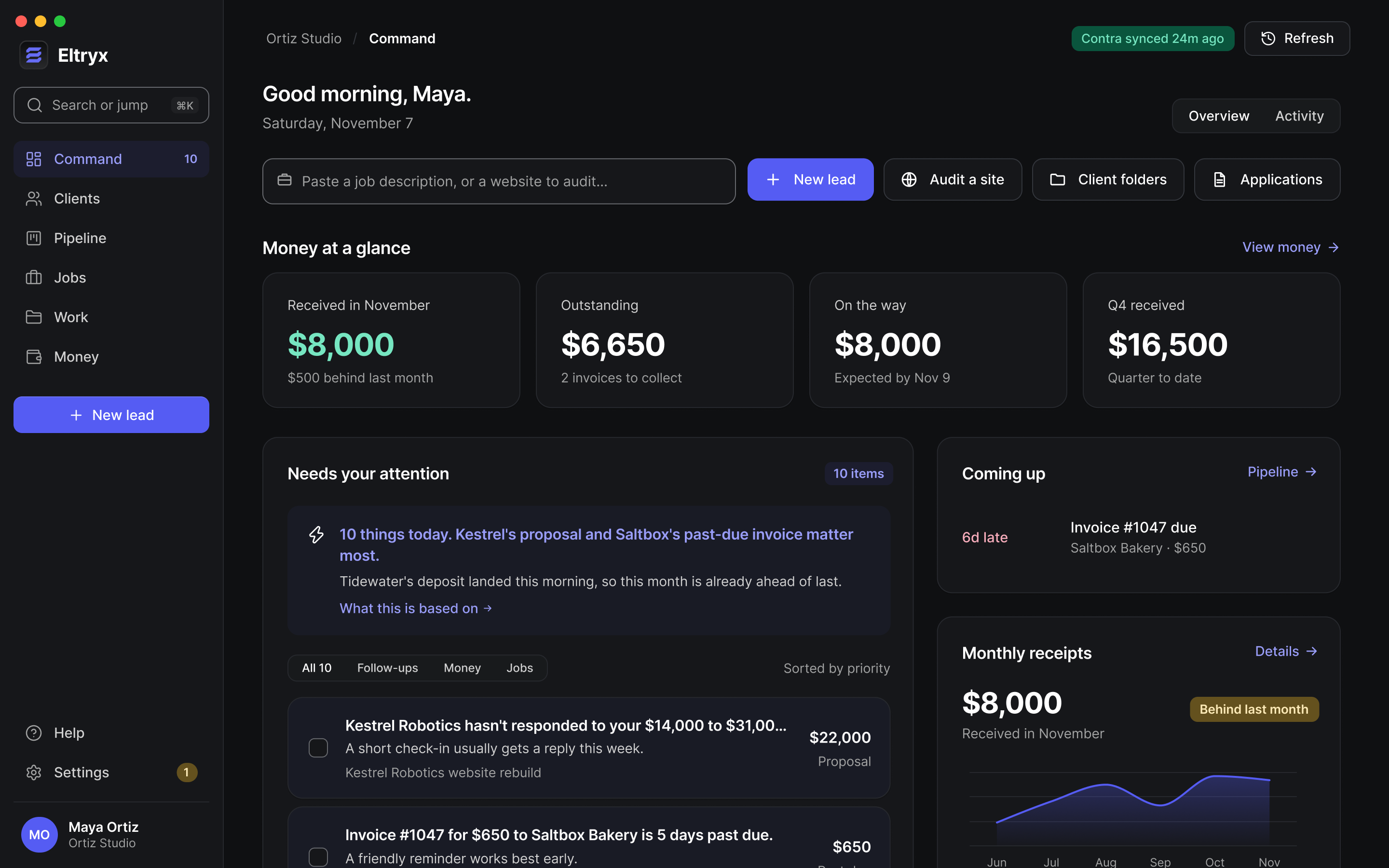
Command comes first
The app opens on what needs attention and why: proposals waiting on a reply, invoices past due, leads gone quiet. Every item shows the rule behind it and can be snoozed or dismissed.
- 02
Paste anything
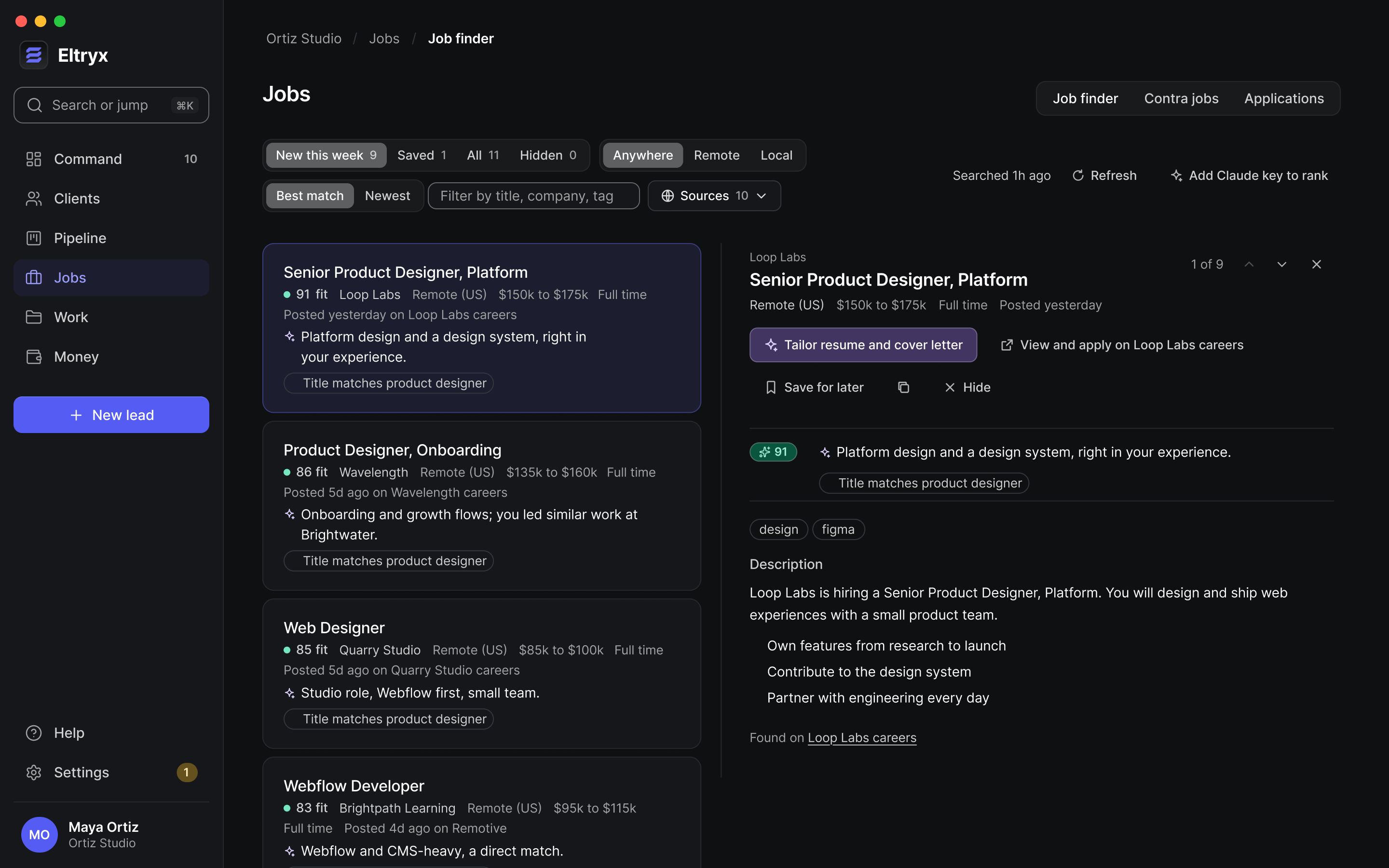
One box takes a job description or a web address. A posting becomes a tailored resume or a Contra pitch. A website becomes a full site audit.
- 03
Nothing typed twice
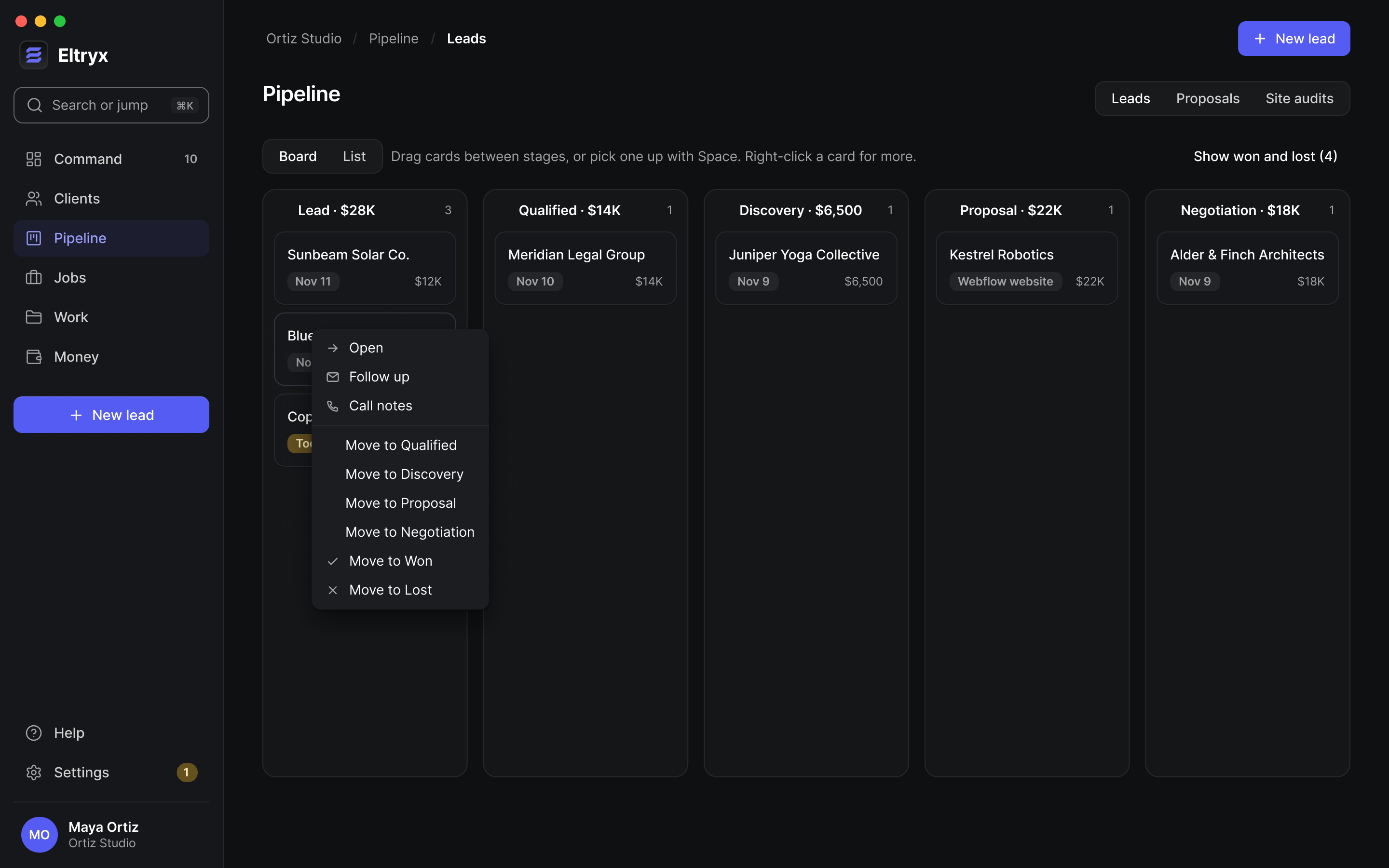
A proposal starts from its lead. A won deal becomes a client with its own folder. Notes in that folder become context for the next proposal or follow-up.
03 / Key decision
AI that shows its work.
A tailored resume is only useful if you can trust it. Every bullet Eltryx writes cites the line from your real resume it came from. Anything without a source, like a metric you never claimed, is flagged in amber for you to verify or remove. Titles, companies and dates always come straight from your resume.
The same rule runs through the app. The daily briefing can only mention items the attention rules produced. Job matches list their reasons. Every AI call is logged with the exact context it was sent.
04 / Control
It drafts. You send.
Eltryx never sends anything. Follow-ups and pitch emails open as drafts in your own email app, and you apply to jobs on the job board. The Contra connection is read-only, so it can’t send messages, invoices or payments.
Your data stays yours too. Everything lives in one database file on your Mac, with daily backups to a folder you choose. There’s no account and no Eltryx server, and AI runs on your own Claude key, stored in the macOS keychain.
05 / Site audits
From a web address to a pitch.
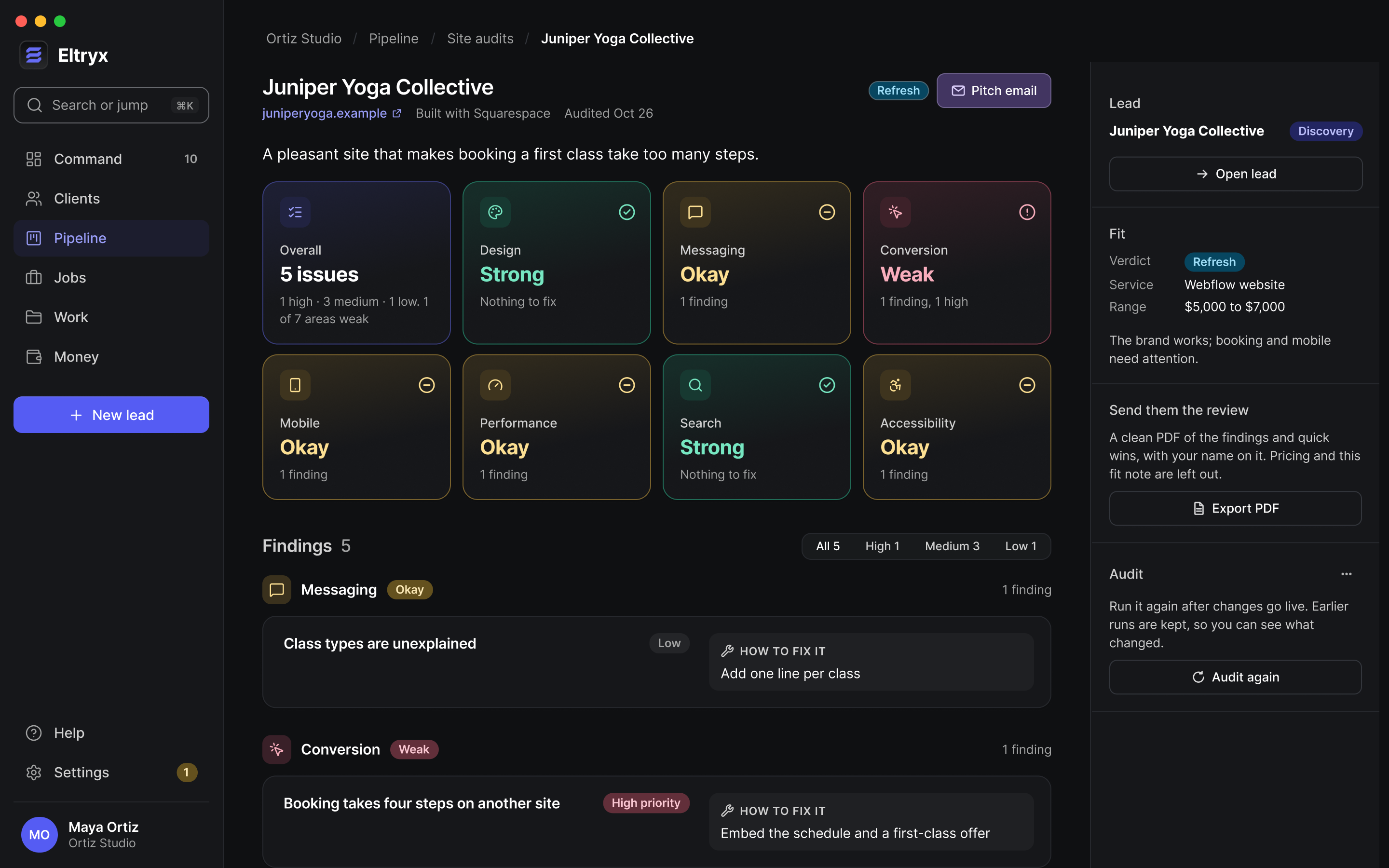
Paste a site and Eltryx opens it in a sandboxed window on desktop and as a phone. It measures load time, page weight, headings, alt text and tap targets, and takes screenshots. Claude then reviews the screenshots against those measurements, and every finding cites its evidence.
The result rates seven areas, suggests a price range from your own services, and drafts a pitch email that opens with something the site does well. A clean PDF of the review, with pricing left out, is ready to send.
06 / Design system
Color means state.
In early November I rebuilt every screen on a new design system. A few rules hold it together. Color only means state: overdue, paid, flagged or AI. Hierarchy comes from type and surface tone, not boxes. Filled buttons are saved for the main next step on a screen.
It ships with four themes, each in light and dark, and every text color is checked against what it sits on so it meets WCAG AA in every one. Motion is short and only shows where something came from or what changed.
07 / Outcome
Designed, built and shipped in six weeks.
I took Eltryx from a first working slice on September 29 to version 0.11 in mid-November, renaming it from Studio OS to Rendr to Eltryx along the way. Today 18 people are using it as beta testers.
Beta testers using it today
Weeks from first commit to version 0.11
Beta releases since October 7
Messages sent without you
08 / What's next
From delivered to documented.
Next, an accepted proposal becomes a project with time tracking, so you can see your real hourly rate.
After that, a finished project becomes a case study draft, ready to publish to your portfolio.